If you forward messages on Telegram daily, this update will truly make a difference. Released on September 18, 2025, the Auto Forward For Telegram v1.0.36 focuses on what users have asked for most — better control, more flexibility, and a cleaner way to manage plans. Let’s dive in and explore what’s new, how it works, and why you’ll love it
💳 Simplified Upgrade System – Auto Forward For Telegram v1.0.36
Upgrading used to be a little confusing. Users often wondered which plan fit their needs best. With Auto Forward For Telegram v1.0.36, that process is now straightforward and transparent.
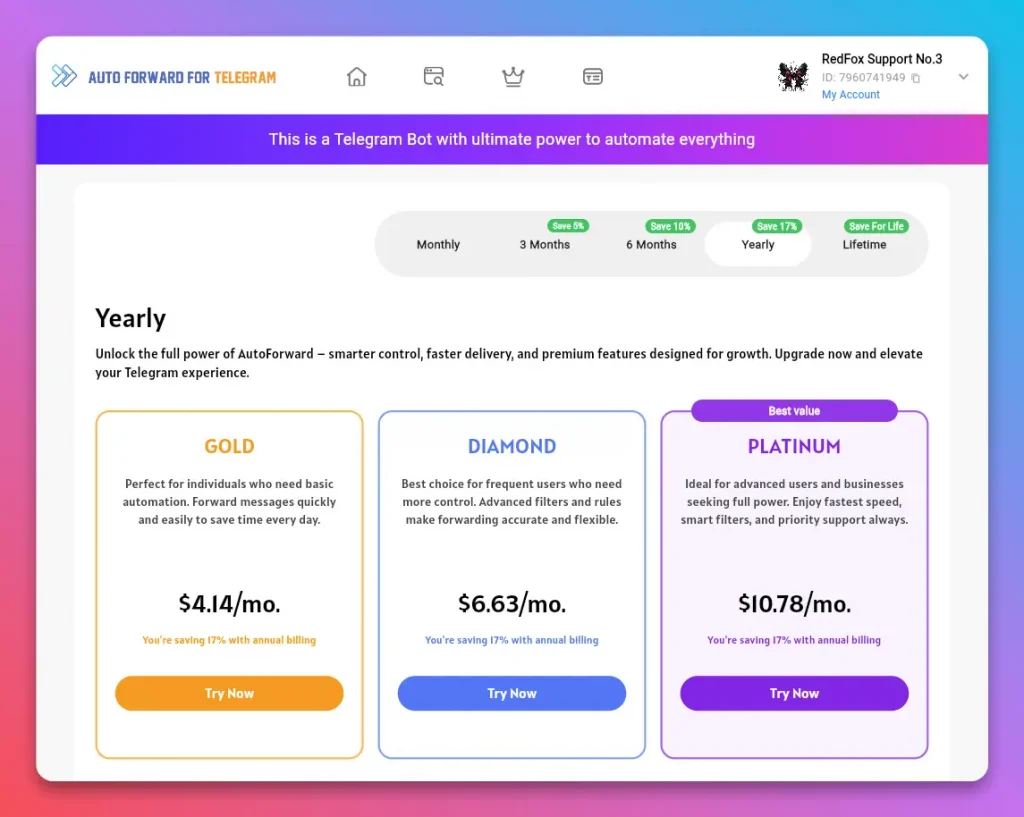
Here’s what’s improved:
- Side-by-side plan comparison: Easily compare all packages in one view.
- Full feature breakdown: Instantly see what’s included before you choose.
- Quick upgrade flow: Upgrade in seconds — no waiting, no hassle.
This new system saves time and reduces confusion. Additionally, it ensures that once you confirm your choice, you can start using premium features immediately.
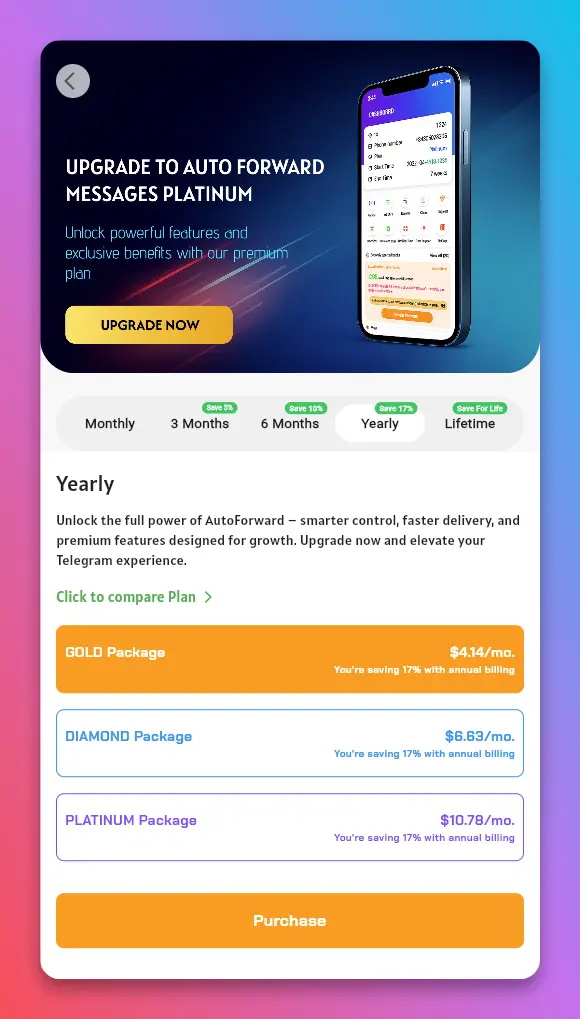
👉 Tip: Review your current forwarding volume before upgrading. If you’re forwarding hundreds of messages daily, the higher-tier plan will save you time and provide smoother automation.
⏱️ Smarter Separate Mode Delay – Auto Forward For Telegram v1.0.36
Timing matters, especially when forwarding messages from busy Telegram groups. In older versions, delays could stack — causing all forwarded messages to arrive at once.
The new Separate Mode Delay in Auto Forward For Telegram v1.0.36 fixes that beautifully. Each message now uses its own delay, calculated based on the exact moment it was received.
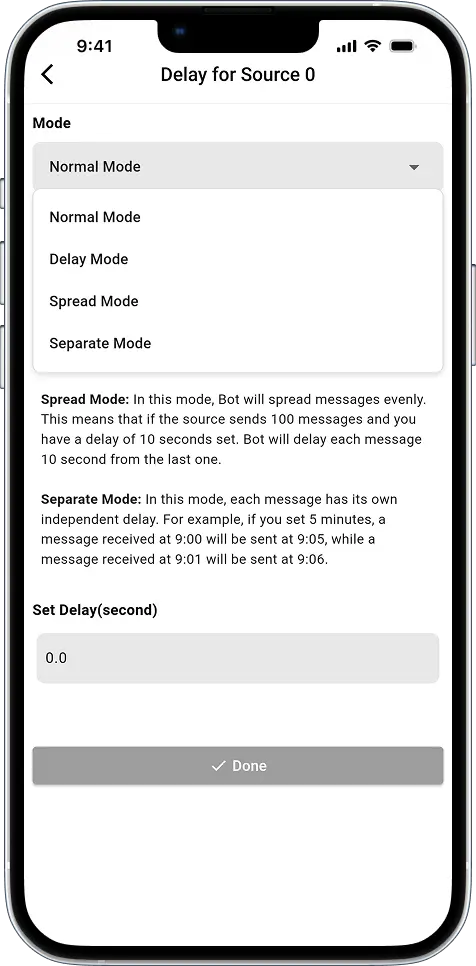
Example in Action:
- Message at 9:00 → forwarded at 9:05
- Message at 9:01 → forwarded at 9:06
As a result, your messages arrive in a more natural rhythm — no sudden bursts, no awkward gaps. This small change creates a big improvement, particularly for high-traffic channels.
👉 Pro Tip: Try setting different delay intervals for various sources. It keeps each channel’s flow consistent and more authentic.
Smart Shortcode for Link Buttons – Auto Forward For Telegram v1.0.36
Another helpful enhancement in Auto Forward For Telegram v1.0.36 is the shortcode function for link buttons — designed to make message interaction even smarter.
Now you can use the special [[CONTRACT_ADDRESS]] shortcode inside your Link Button settings. The app will automatically detect and replace it with the correct contract address in real time.
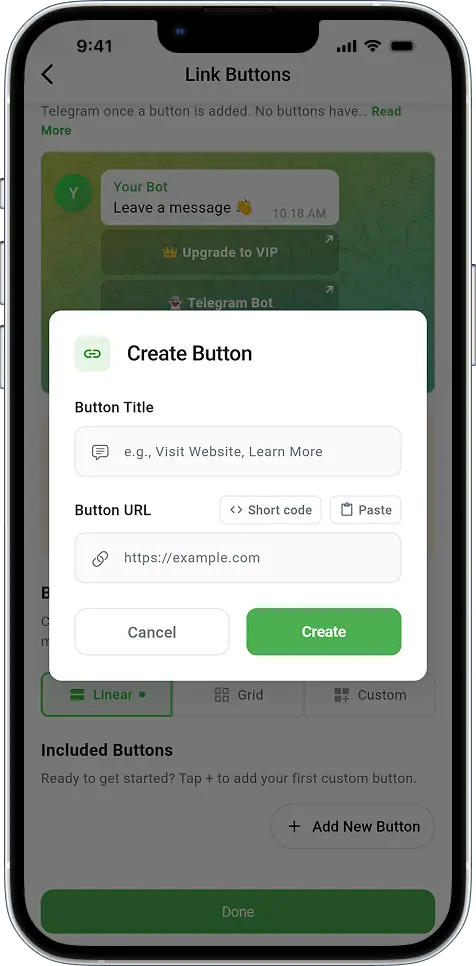
Here’s why it’s so useful:
- ⚡ Instant recognition: The shortcode automatically identifies valid contract addresses from your messages.
- 🔗 Automatic linking: It dynamically inserts the correct address into your button link.
- 🚀 One-tap access: Users can jump directly to the contract with a single tap — no copy-paste needed.
- 🧠 Error-free forwarding: Prevents mistakes caused by manually editing or typing long contract strings.
How to use it:
- Open your Task Settings → tap Link Buttons.
- Add a new button and insert the text
[[CONTRACT_ADDRESS]]where the address should appear. - Save and run your task — Auto Forward will fill the contract automatically.
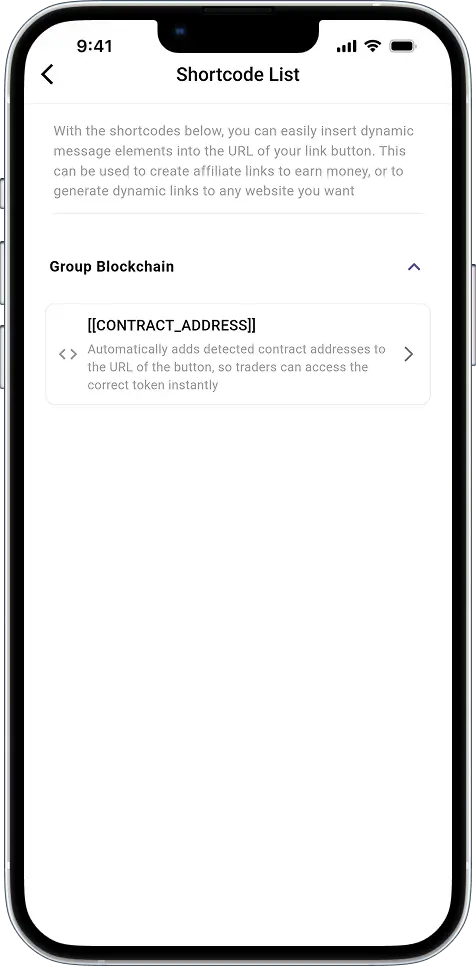
This is especially handy for crypto or token-forwarding users who need accuracy and automation combined.
📚 Updated Documentation and Tutorials
Good tools should come with great guidance.
The new Auto Forward For Telegram v1.0.36 documentation is more visual, better organized, and easier to follow. Whether you’re setting up auto-forwarding for the first time or exploring advanced filters, you’ll find practical help right where you need it.
You can now access:
- Refreshed user guide with clear examples
- Video tutorials explaining each key feature step by step
🔗 Visit the docs here: docs-v2.autoforwardtelegram.com
🔗 Watch video tutorials: YouTube Playlist
These guides are especially helpful if you prefer visual learning or want quick answers without scrolling through long texts.
📲 Available Across All Platforms
Regardless of your device, Auto Forward For Telegram v1.0.36 is ready for you:
- iOS: App Store
- Android: Google Play
- Web: web.autoforwardtelegram.com
- Telegram Bot: Auto_Forward_Messages_Bot
Installation and updates are straightforward. Furthermore, your settings remain saved, so you can pick up right where you left off — without reconfiguring anything.
💬 Stay Connected with the RedFox Team
Your feedback helps shape every release.
If you have suggestions, find a bug, or simply want to share your experience, reach out directly to @RedFoxHelp on Telegram. The support team responds quickly and values real user input.
Also, consider joining the Telegram community to stay informed about new tips, tutorials, and upcoming features.