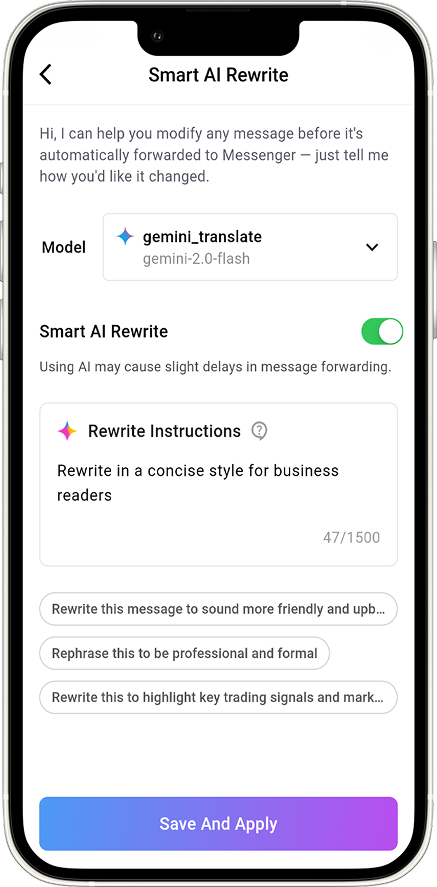
Auto Forward For Telegram v1.0.32 is here — and it’s smarter than ever. Released on June 17, 2025, this latest version introduces AI Mode Feature, a powerful upgrade that lets you rewrite content, summarize messages, and extract content from OCR images automatically.
No more raw forwards — now every message is clean, optimized, and intelligent.
What Is AI Mode Feature?
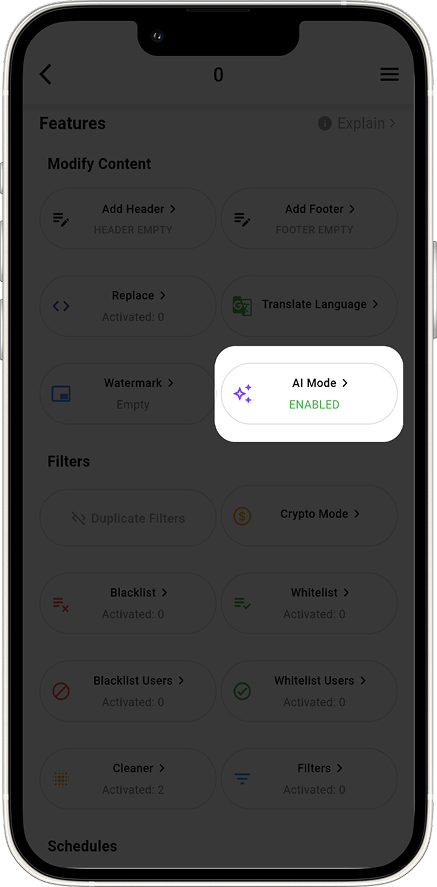
AI Mode Feature is a new automation layer powered by OpenAI, Google AI, and Perplexity. It upgrades your message forwarding by using natural language understanding and OCR image recognition.
Key Benefits:
- Rewrite messages in real-time with better tone and clarity
- Instantly translate content to any language
- Summarize long texts into concise messages
- Extract text from screenshots using OCR
Instead of forwarding raw data, AI Mode ensures each message is optimized and readable.
✍ Rewrite & Translate with Purpose
Use AI to:
- Make content more formal, friendly, or professional
- Translate messages instantly
- Avoid repetition or confusing phrasing
- Filter fluff from news updates
- Deliver compact summaries of long posts
- Highlight only important info
Example Prompt: “Rewrite in a concise style for business readers.”
✅ Tip: Combine translation and rewriting to localize messages in one go. Best for crypto news, press releases, or educational content.
🖼 OCR Image Extraction – AI Mode Feature: Unlock Hidden Text
AI Mode now includes a powerful OCR image extractor—designed to convert screenshots into editable, accurate text instantly. Whether you’re forwarding trading signals, educational charts, or any visual message, this tool saves time and eliminates error-prone manual copying.
You have two flexible modes to work with:
⚙️ System Prompt Mode
No need to write complex instructions. Simply choose from ready-made, optimized prompts we provide for common use cases—ideal for quick setup.
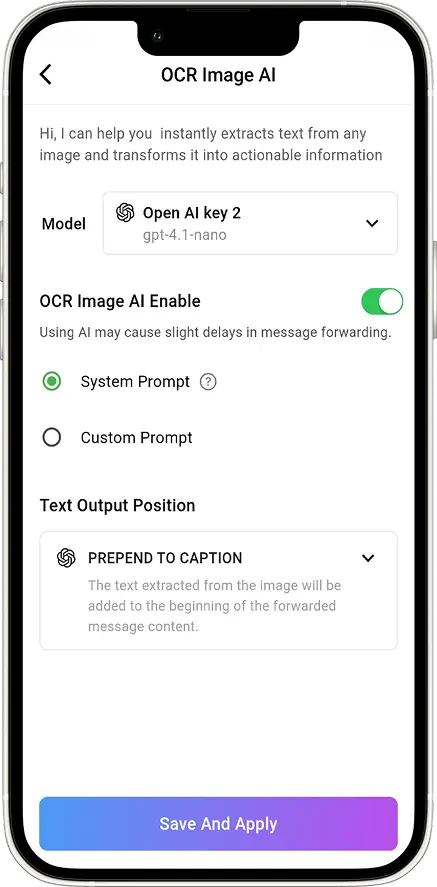
Example: Use the “Extract trading signals from chart” system prompt in seconds.
🔧 Custom Prompt Mode
With Custom Prompt, you can create your own logic to match your trading workflow. It’s designed for those who want precision—especially when working with signals or data-heavy images.
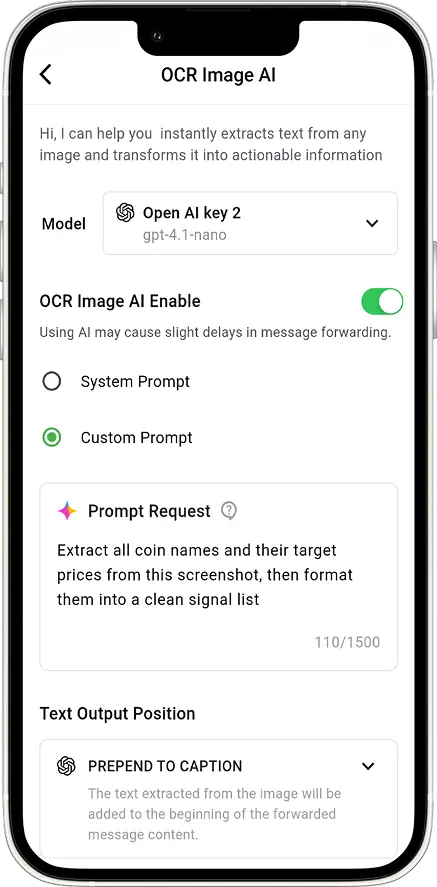
Example: “Extract all coin names and their target prices from this screenshot, then format them into a clean signal list.”
This is ideal for:
- Crypto signals shared as screenshots
- Image-based buy/sell alerts
- VIP content from Telegram channels
- Screenshots of candlestick patterns or indicator setups
Custom prompts let you tailor the output exactly the way your trading group or channel needs it. No extra formatting required—just clean, forward-ready content.
🚀 How to Enable AI Mode
- Open @Auto_Forward_Messages_Bot
- Choose a Task
- Select AI MODE
- Enter your custom prompt
- Save and activate
✅ Creative prompts lead to better results.
📅 Rollout Schedule
Note: This feature is currently being rolled out gradually and is not yet available to all users. If you want early access, simply Restart the bot.
Full rollout to all members is scheduled for Sunday, June 23.
📌 Final Tips & Takeaway
✔ Use Rewrite to adjust tone or clean up text
✔ Summarize to keep forwarded content concise
✔ OCR helps unlock content from screenshots
✔ Combine features for advanced results
🔔 Final Thoughts
AI Mode is not just another feature. It’s a focused upgrade that enhances clarity, speed, and efficiency in your Telegram workflows. Try it today to automate smarter.
👉 Learn more: Documentation
👉 Get support: @redf0x1